
Traditional VPNs were once the gold standard. They create an encrypted tunnel between a user’s device and the corporate network, typically routing all traffic through a centralized gateway. While this allows remote users to access internal systems, it often introduces performance issues due to network bottlenecks and poses a security risk due to complete network access.
If you’re looking for a faster, more secure VPN alternative for your distributed or remote team, we’re here to help.
This post explores common types of legacy VPN alternatives, including Zero Trust network access (ZTNA) and secure access service edge (SASE) solutions, weighing the pros and cons of different service providers to help you decide what’s the best fit for your business.
What option to choose?
The Top VPN Alternatives at a Glance
Whether you’re a small business looking for a cost-effective solution or a large enterprise in need of comprehensive security, these providers offer tailored options to suit your requirements. The solutions are organized from entry-level to full enterprise SASE solutions.
You can jump to the review section below for an in-depth analysis of each VPN alternative.
| Solution | Type | Best For | Cost |
|---|---|---|---|
| NordLayer | Modern business VPN with Zero Trust principles | Small and mid-sized businesses needing an affordable and simple transition from legacy VPNs | Lite: $8 user/month, Core: $11 user/month, Premium: $14 user/month, Enterprise: From $7 user/month |
| Twingate | ZTNA | Cloud-native teams needing quick, lightweight ZTNA deployment without heavy infrastructure | Starter: Free, Teams: $5 user/month, Business: $10 user/month, Enterprise: Custom pricing |
| Cloudflare Access | ZTNA (also has a SASE option) | Organizations using Cloudflare or needing fast, globally distributed edge access | Free plan: Under 50 users, Pay-as-you-go: $7/user/month, Contract: Custom pricing |
| Cisco Secure Client | VPN/ZTNA (also has a SASE option) | Enterprises with existing Cisco environments seeking integrated remote access and ZTNA | Custom pricing |
| Harmony SASE (Perimeter 81) | SASE | Mid-sized businesses needing intuitive management and rapid deployment of secure access | Custom pricing |
| Netskope One Private Access | ZTNA (also has a SASE option) | Organizations looking for advanced DLP, CASB, and ZTNA in a single platform | Custom pricing |
| Zscaler Private Access | ZTNA (also has a SASE option) | Large enterprises requiring scalable, Zero Trust access with granular policy control | Custom pricing |
| Palo Alto Prisma Access | SSE | Large, security-mature enterprises seeking full-stack SASE with tight policy and threat control | Custom pricing |
| Cato SASE Cloud | SASE | Businesses needing a full cloud-native SASE solution with WAN optimization | Custom pricing |
The Limitations of Traditional VPNs
Traditional VPNs, while once the go-to for secure access, are no longer sufficient for today’s security needs. They can cause a multitude of issues including:
- Full network-level access: Traditional VPNs give users the key to the whole corporate network, even if they only need access to a small part of it. This all-or-nothing approach means that if a hacker gets your VPN credentials, they could potentially roam freely across your whole network, not just the specific application a given user needed.
- Performance issues: All your internet traffic, work-related or not, gets routed through a distant VPN server, creating bottlenecks and slowing your internet to a crawl.
- Weak authentication: VPNs do require logins, but often rely on simple username and password combinations. As phishing attacks and credential stuffing become more commonplace, having only this single layer of security creates significant vulnerability to unauthorized users gaining access.
- Poor scalability: As your organization grows, so does the headache of managing traditional VPNs. Adding new users, managing licenses, and ensuring enough server capacity can become a complex and costly endeavor, especially for a distributed or remote workforce.
- Limited visibility and control: It’s tough for IT teams to see exactly who is accessing what resources and when with a traditional VPN. The lack of granular visibility and control makes it harder to spot suspicious activity or enforce security policies effectively.
Understanding Modern VPN Alternatives
Two of the best modern VPN alternatives are Zero Trust network access (ZTNA) and secure access service edge (SASE) solutions.
- ZTNAs implements a zero-trust architecture, focusing on application-level access with a ’never trust, always verify’ approach.
- SASE combines ZTNA with cloud-delivered network and security functions like secure web gateways (SWG), cloud access security brokers (CASB), firewalls, and SD-WAN.
Small and mid-sized businesses can benefit from using ZTNA to implement Zero Trust principles and granular access control, while larger enterprises may require the more comprehensive features of SASE. Both solutions are strong alternatives to traditional VPNs, with ZTNA being ideal for specific app access and SASE offering a more scalable, integrated security solution for cloud-based environments.
This table summarizes how both options compare to traditional VPNs and differ in terms of implementation, performance, and security.
| Traditional Virtual Private Network (VPN) | Zero Trust Network Access (ZTNA) | Secure Access Service Edge (SASE) |
|---|---|---|
| Access level | Full network access once connected | Application level access following the “never trust, always verify” principle |
| Security capabilities | Single-factor authorization with broad access | Least-privilege access, device posture checks, MFA |
| Performance | High latency because traffic is routed through a centralized gateway | Reduced latency, dependent on vendor PoPs |
| Scalability | Difficult to scale for large or global organizations | Easy to scale for hybrid or remote teams |
| Deployment | Easy, but requires infrastructure | Easy to moderate |
What option to choose?
9 Modern VPN Alternatives: A Detailed Review
Traditional VPNs may have their shortcomings, but the good news is that a whole new generation of technologies is stepping up to offer more secure, flexible, and efficient ways to access corporate resources. This section goes over nine modern VPN alternatives, breaking down what they are and how they stack up in a detailed review.
NordLayer
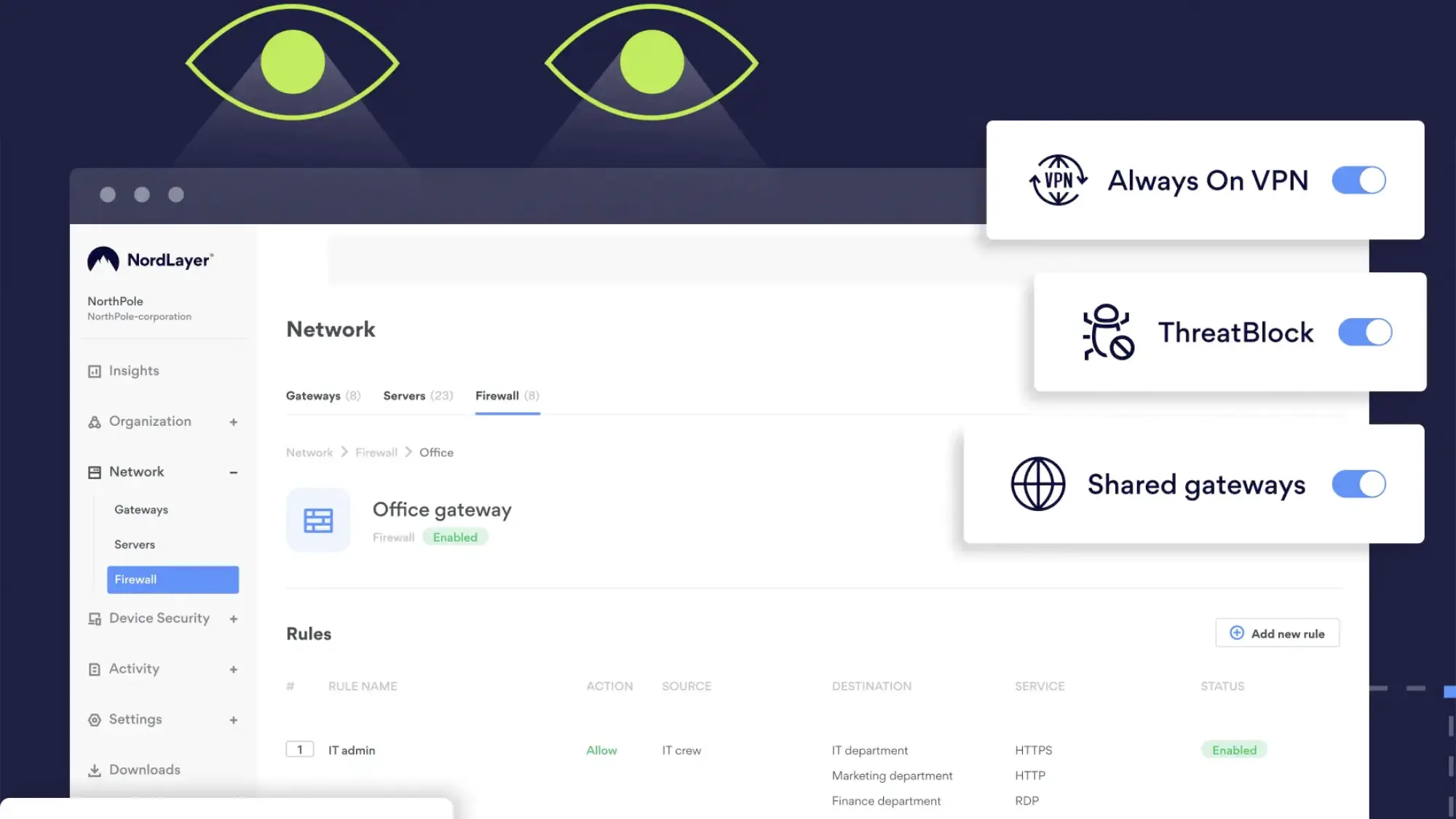
NordLayer is a cost-effective, easy-to-deploy solution that appeals to small and mid-sized businesses looking to move beyond traditional VPNs. It delivers solid network-level security and Zero Trust access controls, positioning it as a strong VPN alternative. However, because it operates at the network level, it lacks the fine-grained, application-level visibility and control found in more advanced security platforms.
What Sets It Apart: Combines VPN technology with Zero Trust principles at an affordable price point for small teams
Best for: Small and mid-sized businesses needing an affordable and simple transition from legacy VPNs
Strengths
- Easy setup: Its intuitive setup process and centralized management tools reduce IT overhead, especially for teams without dedicated security staff.
- Strong performance due to the NordLynx protocol: NordLynx is Nord’s proprietary protocol developed from WireGuard. It has unique features like doubleNAT, providing strong connection speeds without compromising security.
- Identity-based access controls and network segmentation: This helps ensure that only authorized users can access specific network segments. The solution allows businesses to control who accesses what based on user identity, integrating seamlessly with identity management platforms like Google Workspace, Azure AD, Okta, OneLogin, and JumpCloud.
- Smart Remote Access: This lets users securely reach internal resources without exposing them online, while site-to-site VPNs and dedicated gateways secure office and cloud connections.
- MFA: NordLayer supports multi-factor authentication, single sign-on, and device posture checks to further enhance access security.
- Relatively low starting price for Enterprise: Enterprise plans start at $7/user/month, which is significantly lower than competitors. However, they require a 50-person minimum.
- Basic security: It also has built-in security layers like DNS filtering and DPI Lite that help businesses control and monitor internet traffic, providing an additional layer of security and visibility.
Weaknesses
- Lacks advanced ZTNA features: While NordLayer follows Zero Trust principles and offers basic access controls, it lacks more advanced ZTNA features found in competitors. For example, it doesn’t support the same level of granular control.
- No application-level access control: It primarily relies on network-level segmentation, rather than offering application-level access control, and doesn’t inspect traffic in-depth or support advanced behavior monitoring.
- No browser-based access: NordLayer doesn’t support browser-based access to internal apps, limiting its application-specific security capabilities. However, NordLayer does offer browser extensions for Chrome, Firefox, Microsoft Edge, and Brave, which allow secure access via the browser. While these extensions don’t provide full application-layer controls or agentless access, they do enable secure web traffic routing.
- Fewer security features: Features such as inline threat protection, dynamic risk-based policies, and behavior analytics are lacking.
- Limited number of dedicated servers in certain countries: NordLayer servers are limited in some countries. They only have five dedicated servers in Asia Pacific and one in Africa and the Middle East.
Twingate
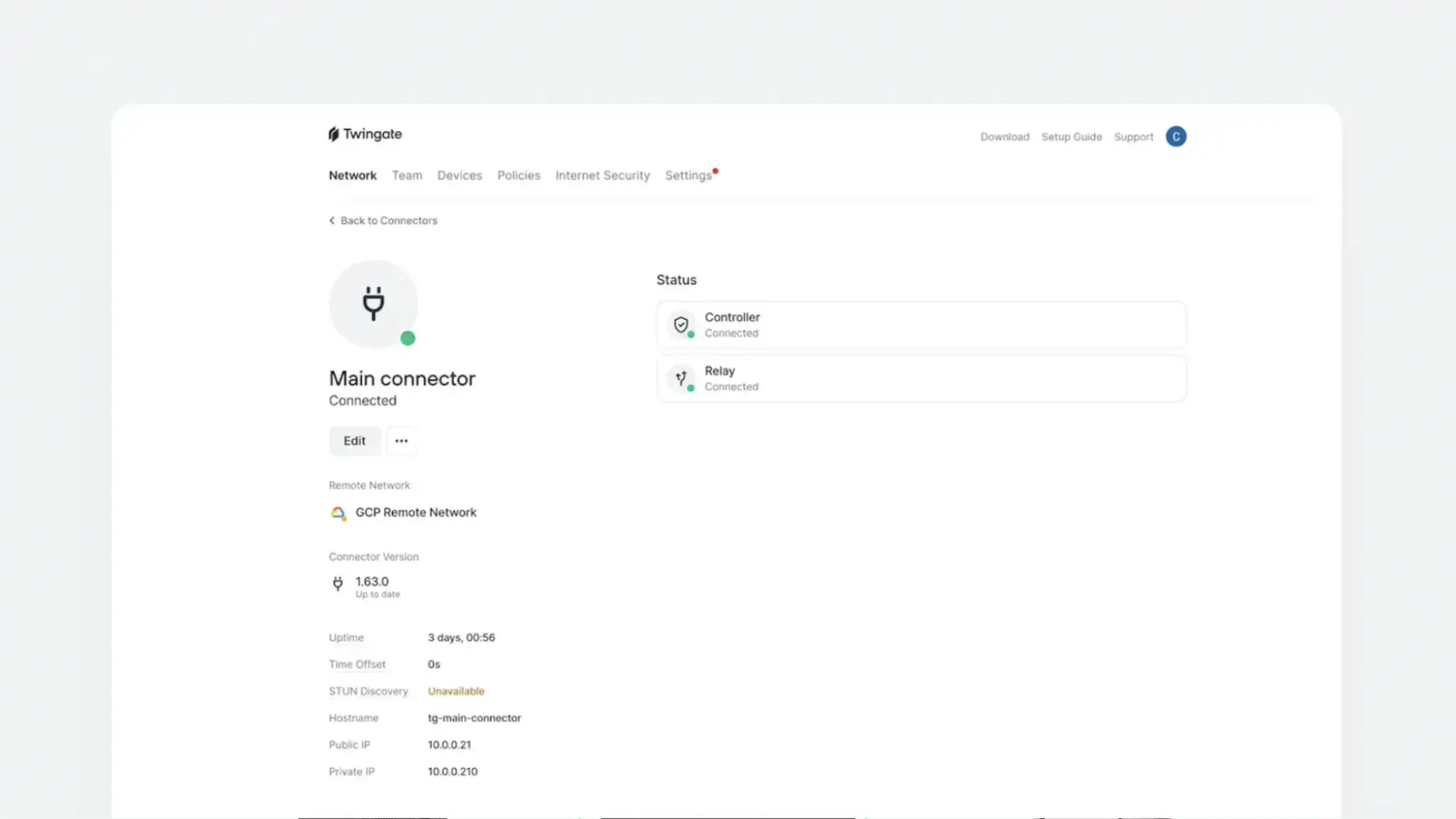
Twingate is a good solution for cloud-oriented organizations that want a scalable, affordable, and low-maintenance alternative to traditional VPNs. It is known for its intuitive setup process and user friendliness. It is a cloud-native ZTNA that provides application-specific access without exposing the whole network. You can set up access policies based on user groups, IP ranges, locations, types of devices, and more.
What Sets It Apart: Exceptionally easy deployment with intuitive management for cloud-oriented organizations
Best for: Cloud-native teams needing quick, lightweight ZTNA deployment without heavy infrastructure
Strengths
- User-friendly and affordable: Twingate offers a clean, intuitive interface that’s easy for both IT teams and end users to navigate. Its pricing model is transparent and scalable, making it a cost-effective solution for startups, growing teams, and mid-sized businesses
- Prevents unnecessary internet exposure: Unlike traditional VPNs, which often rely on publicly accessible gateways and broad network access, Twingate uses software-defined connectors that live inside your private infrastructure. This architecture ensures that internal services remain hidden from the public internet, significantly reducing the attack surface and aligning with Zero Trust principles.
- Always on technology: Twingate is always on, so users don’t have to manually turn it on or off, minimizing required user interaction.
- Global network: Its global relay network improves performance by dynamically routing traffic through the optimal path.
- Free, but limited, Starter tier: The free tier is best for at-home use and testing. However, it lets you get a sense for the platform for up to 5 users without initial investment. The Teams and Business plans have a 14-day trial.
Weaknesses
- Limited features on Teams Plan: Advanced security features and integrations are only available on the higher tier plans. You can access basic internet security features like DNS filtering to block malicious websites and content filtering to restrict access to inappropriate or unwanted content on the Business plan or higher.
- Limited integrations on the Teams Plan: Most integrations are only available on the Business or Enterprise plans. These include popular IdPs, IaCs, MDMs, EDRs, and cloud service providers including Okta, Microsoft Azure, AWS, Oracle Cloud Infrastructure, and more.
- Compatibility issues with certain Software: If you have VPNs, DNS filtering, or certain types of security software in your tech stack, it may conflict with Twingate and cause issues. These conflicts often arise due to overlapping DNS resolution or tunneling functionality, where multiple tools attempt to intercept or route traffic simultaneously. For example, software like Zscaler, Cisco Umbrella, DNSFilter, AdGuard, and Avast may interfere with Twingate’s ability to resolve private DNS or establish secure tunnels. In some cases, disabling specific features or adjusting configurations can resolve these conflicts, but it may require additional troubleshooting and coordination across teams.
- Agent-based: Twingate requires an agent, meaning that users have to install it on their machines. Twingate also requires the installation of a Connector per network.
- Support issues in some regions: Some regions like China, Cuba, Ukraine, Iran, North Korea, and Syria are not well supported by Twingate.
Cloudflare Access
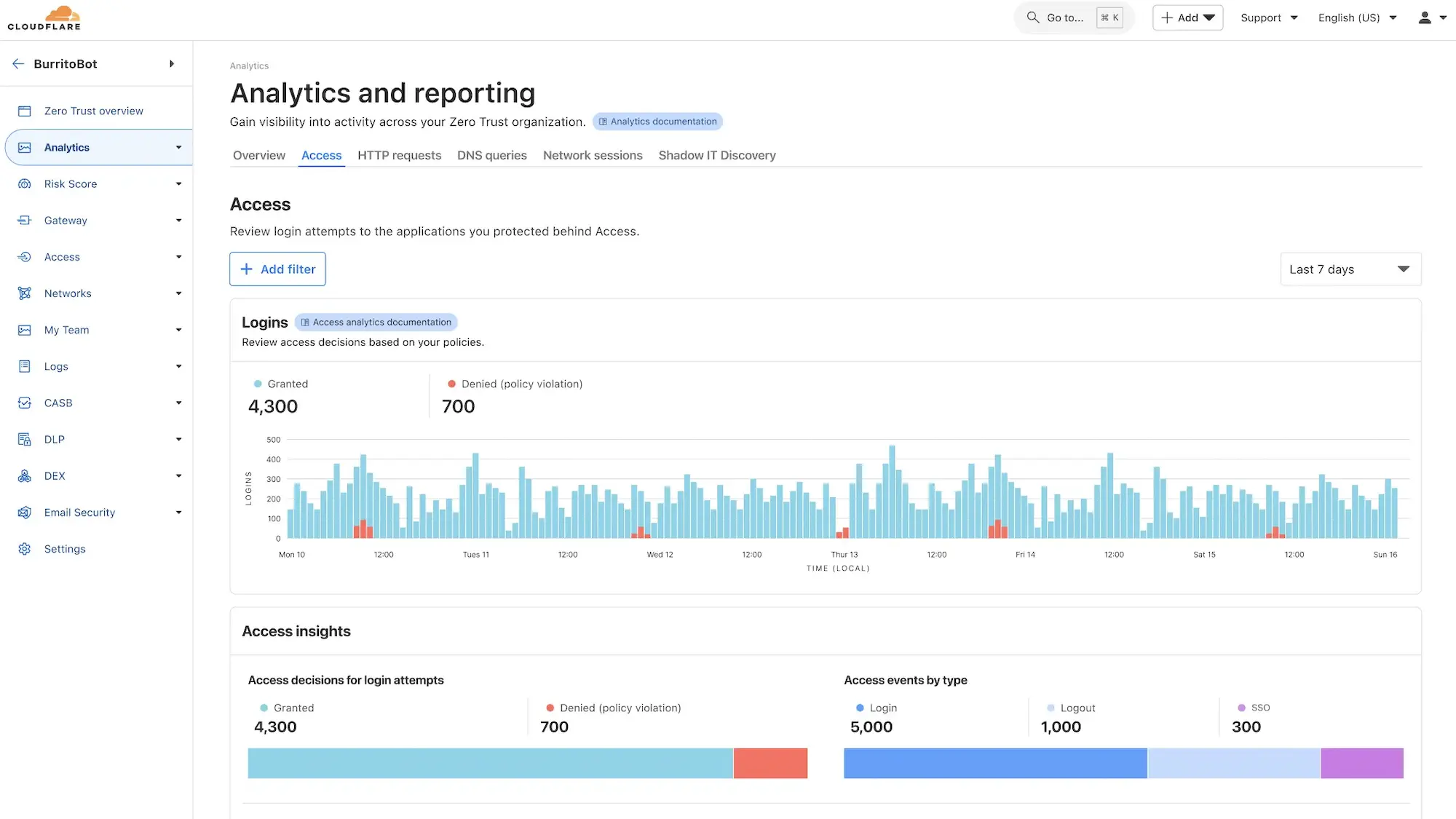
Cloudflare Access is Cloudflare’s ZTNA solution and is a key component of Cloudflare Zero Trust offerings. It is also included in their SASE platform, the Cloudflare One plan. Cloudflare is a good fit for technically capable teams that want flexible, modular Zero Trust components with the ability to scale toward a broader SSE or SASE architecture, though total cost can rise quickly depending on feature adoption.
What Sets It Apart: Seamless integration with Cloudflare’s global edge network and modular security components
Best for: Organizations using Cloudflare or needing fast, globally distributed edge access
Strengths
- Connect apps without opening ports: For application onboarding, Cloudflare Tunnel allows organizations to securely connect their internal applications to Cloudflare’s edge without opening inbound ports, effectively proxying traffic from the origin server to Cloudflare’s network. This setup not only simplifies deployment but also enhances security by obfuscating the origin server’s IP address.
- Agentless access options: Cloudflare has agentless options to access internal applications, allowing users to connect securely through their browser without installing additional software.
- Supports web-based and non-web-based apps: Cloudflare Access supports both web-based and non-web-based applications, including SSH and RDP, providing flexibility in securing various types of internal resources.
- Access justification option: Administrators can enforce policies requiring users to justify their access requests, adding an additional layer of accountability and auditing.
- Compatible with many identity providers: It integrates with major identity providers such as Azure AD, Google Workspace, Okta, OneLogin, and supports SAML and OpenID Connect protocols, allowing organizations to manage authentication across diverse user bases.
- Device posture checks: The Cloudflare WARP agent enables device posture checks, ensuring that only devices meeting specific security criteria can access protected resources.
- Strong global server network: Cloudflare has an excellent global server network with over 100 countries and 200 cities supported.
Weaknesses
- Modular service offerings can be expensive and confusing: Since services are modular and features are split across multiple products, it can be confusing to put together the right toolset and ensure you’re not overpaying for things you don’t need or missing key elements. Determining the full cost of a solution that suits your needs will likely require connecting with a salesperson.
- Steep learning curve: Users who are new to Cloudflare may experience a steep learning curve.
- Free tier is primarily useful for testing purposes: While the free tier is enticing, it typically isn’t useful beyond testing purposes as there is no uptime guarantee and logs are only kept for 24 hours.
- Limited endpoint management capabilities: It doesn’t have native mobile device management (MDM) or strong endpoint security features, though it partners with other providers to facilitate these things.
Cisco Secure Client
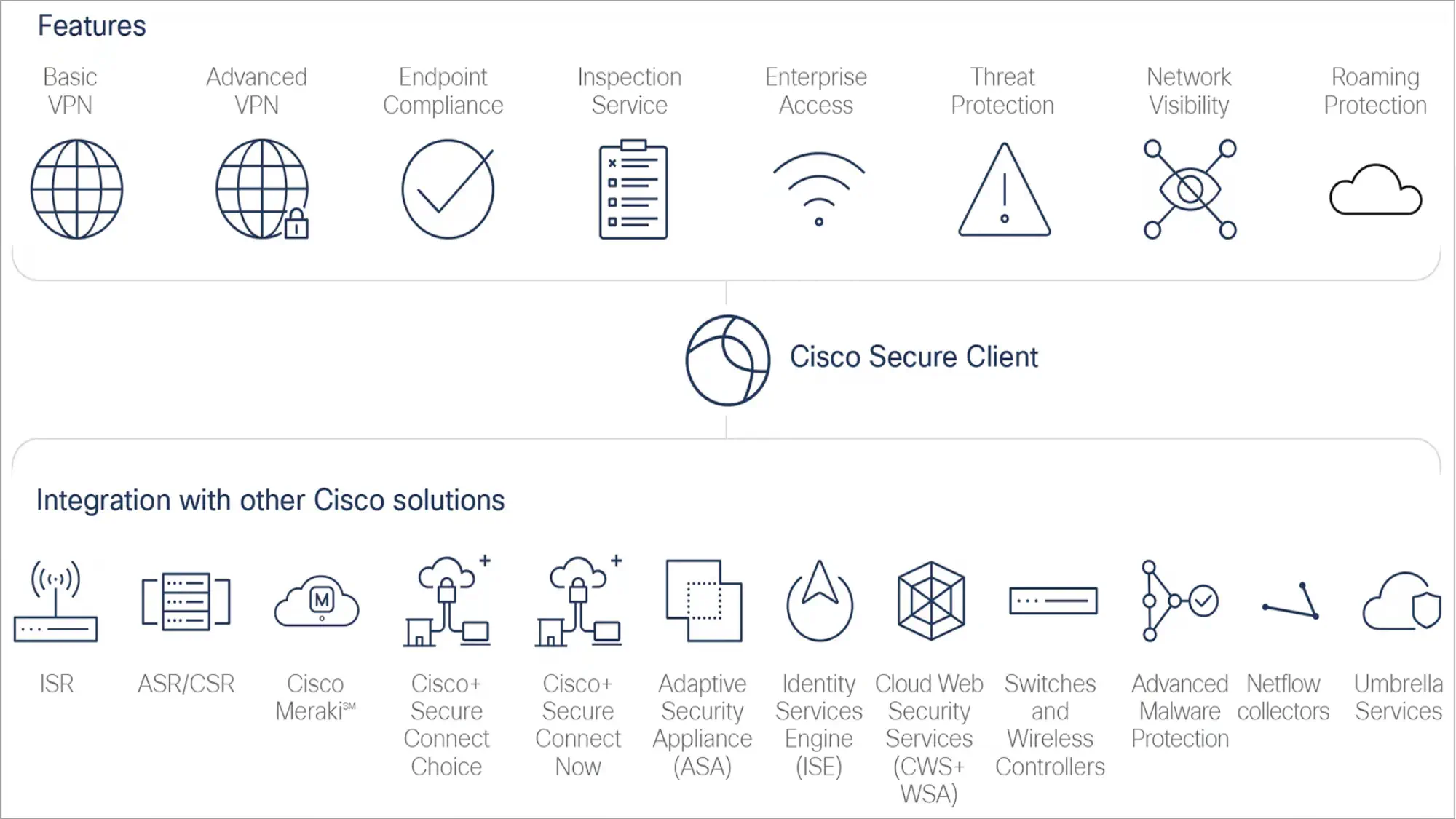
Cisco Secure Client (formerly AnyConnect) is a modular enterprise VPN solution that supports secure remote access across hybrid workforces. At its core, it enables encrypted, identity-based access to both on-premises and cloud environments. Businesses can layer on additional modules to tailor the solution to their Zero Trust and security needs.
Cisco Secure Client is best suited for medium to large business with specific security requirements and existing investments in the Cisco infrastructure.
What Sets It Apart: Modular approach allowing organizations to layer security capabilities on an existing VPN framework
Best for: Enterprises with existing Cisco environments seeking integrated remote access and ZTNA
Strengths
- Granular access control: The Zero Trust Access module allows for more granular access controls, verifying user identity, device posture, and contextual risk before granting access to specific applications.
- Client-based and clientless options: It supports client-based and clientless (browser-based) options.
- Endpoint detection and response: Uses the Cisco Secure Endpoint (formerly AMP for Endpoints), an advanced endpoint detection and response (EDR) solution that helps organizations prevent, detect, and respond to threats across devices.
- Threat detection and policy enforcement: The Network Visibility Module (NVM) provides deep telemetry and endpoint context to security teams, enabling proactive threat detection and policy enforcement.
- DNS security: The Umbrella Roaming Security module provides DNS-layer security when no VPN is active.
Weaknesses
- Modular structure can be confusing and costly: Module management also adds a layer of complexity and requires detailed planning and a deep understanding of needs. The cost of multiple solutions can add up.
- Best used with Cisco infrastructure: Secure Client works best with Cisco infrastructure, so it may not be the best fit for companies with mixed environments or those trying to reduce vendor lock-in.
- Dated interface: Some users find the user interface outdated compared to more modern VPN clients.
Harmony SASE (formerly Perimeter 81)
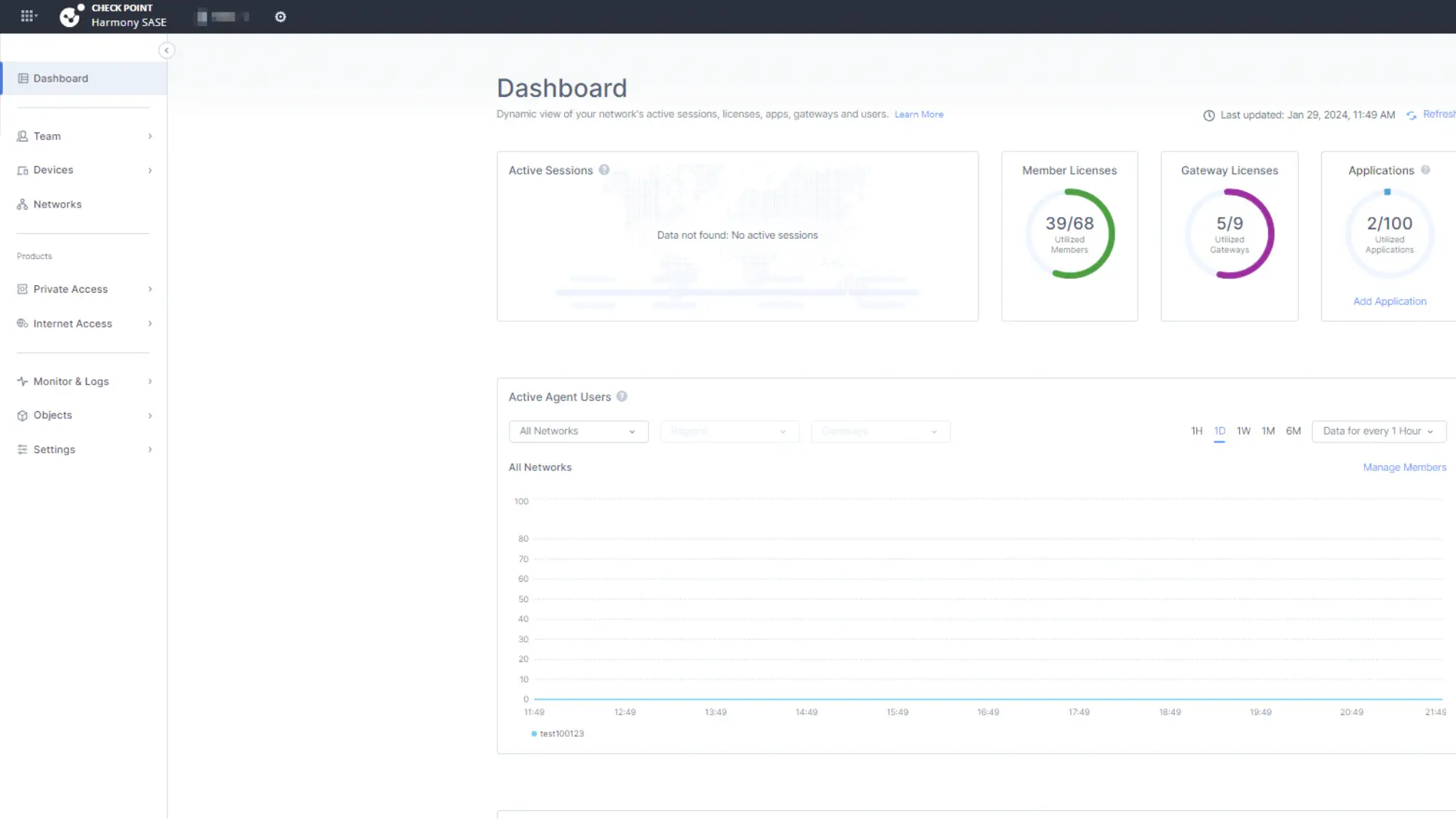
Harmony SASE is a great entry-level SASE solution that is designed to help businesses transition from legacy VPNs to a more modern Zero Trust approach without requiring extensive infrastructure changes. It is a strong fit for mid-market businesses seeking a scalable and easy-to-manage Zero Trust solution.
What Sets It Apart: User-friendly SASE platform that simplifies the transition from legacy VPNs to Zero Trust
Best for: Mid-sized businesses needing intuitive management and rapid deployment of secure access
Strengths
- Easy to deploy: Deployment is straightforward, with centralized management and a user-friendly interface that simplifies policy creation and enforcement.
- Broad identity provider integration: Harmony SASE supports identity-based access control and integrates with major identity providers like Azure AD, Okta, and Google Workspace.
- Agent and browser-based access: It supports agent-based and browser-based access, giving organizations flexibility in securing both managed and unmanaged devices.
- Granular access control: Admins can apply granular rules based on identity, device posture, role, location, and resource sensitivity to restrict access on a per-user or per-app basis.
- Basic security features: It includes DNS filtering, malware protection, and web filtering as part of its unified security stack.
Weaknesses
- Security not as advanced as competitors: Harmony SASE has limitations in more advanced traffic inspection and inline threat protection compared to enterprise-grade SASE vendors. Features like deep packet inspection, DLP, and advanced analytics are more limited.
- Customer support issues: Users have reported issues with timely customer support and scheduling customer support sessions.
Netskope One Private Access
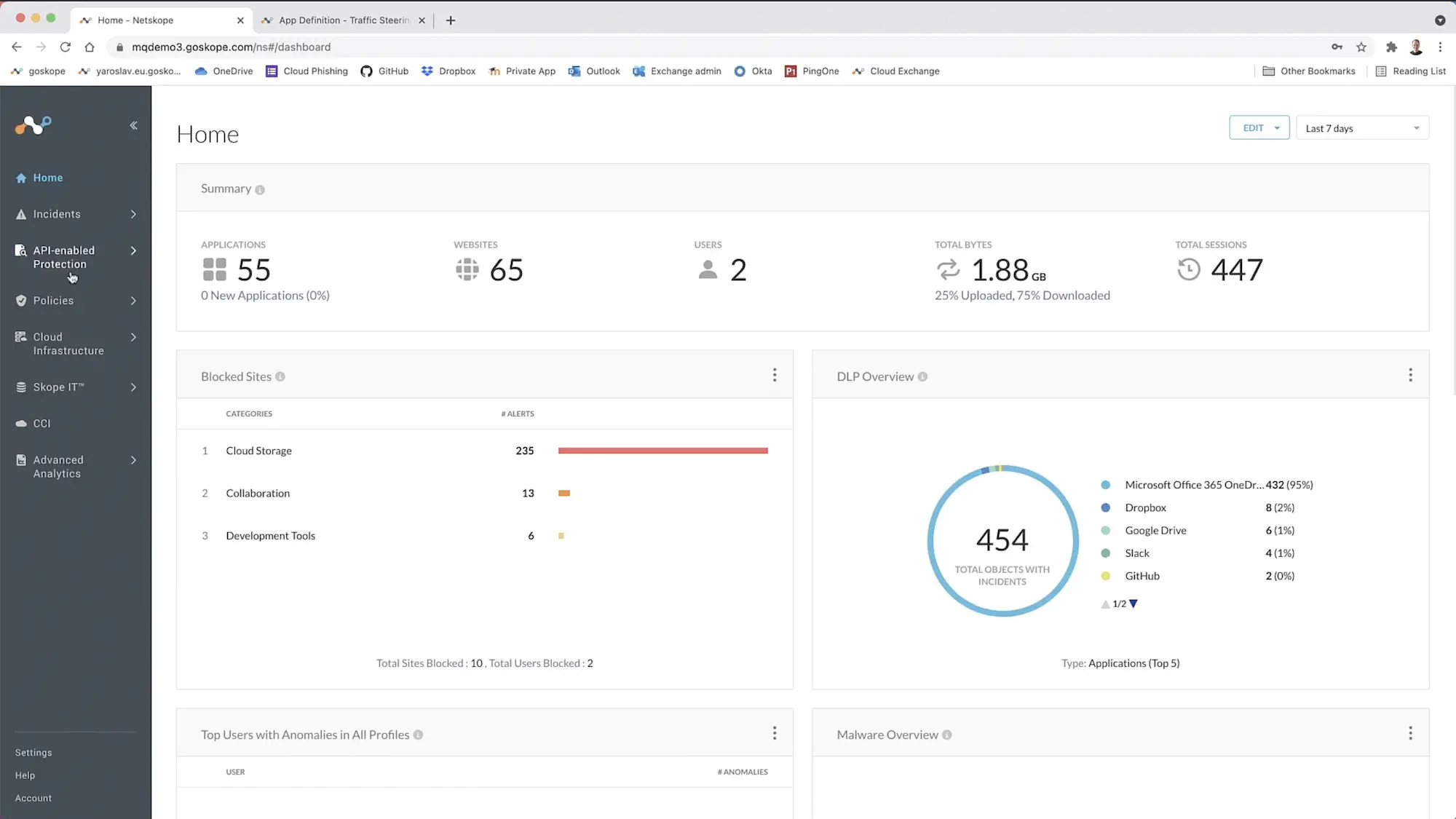
Netskope One Private Access integrates ZTNA and SD-WAN capabilities, allowing you to fully replace remote access VPNs. It is ideal for organizations that need strong application-level access controls and inline security inspection and that are ready to build toward a full SSE or SASE stack with deep policy customization.
What Sets It Apart: Enterprise-grade ZTNA with strong SSE integration capabilities, high-performance private network, and the ability to build toward SASE adoption
Best for: Organizations looking for advanced DLP, CASB, and ZTNA in a single platform
Strengths
- Compatible with legacy applications: It enables secure server-to-client connections and is compatible with both legacy and modern applications.
- Free trial: It offers a 14-day free trial.
- Clientless access option: The Netskope One Client supports Microsoft Windows, Mac OS and iOS, Chrome OS, and Android. It also supports clientless access through “browser access” on devices with a supported browser.
- Granular access control: Administrators can create policies that factor in user identity, group membership, and devices’ security posture.
- Enables unified security architecture: The solution also supports integration with CASB and SWG as part of the broader Netskope One platform, helping organizations build toward a converged SSE or SASE model.
- High-performance network: Netskope operates its own high-performance NewEdge network, which has 120+ data centers in 75+ regions, ensuring low latency and consistent performance. Because NewEdge sits inline, organizations can inspect traffic in real time, applying DLP policies, malware detection, and advanced threat protection to private app sessions.
Weaknesses
- Cost-prohibitive and complex for small businesses: While Netskope is a strong solution, because it is primarily built for enterprises, smaller businesses may find it too cost-prohibitive and complex.
- Complicated deployment: Users have reported that deployment is complicated and support isn’t very helpful, even if you pay for the professional service support.
Zscaler Private Access
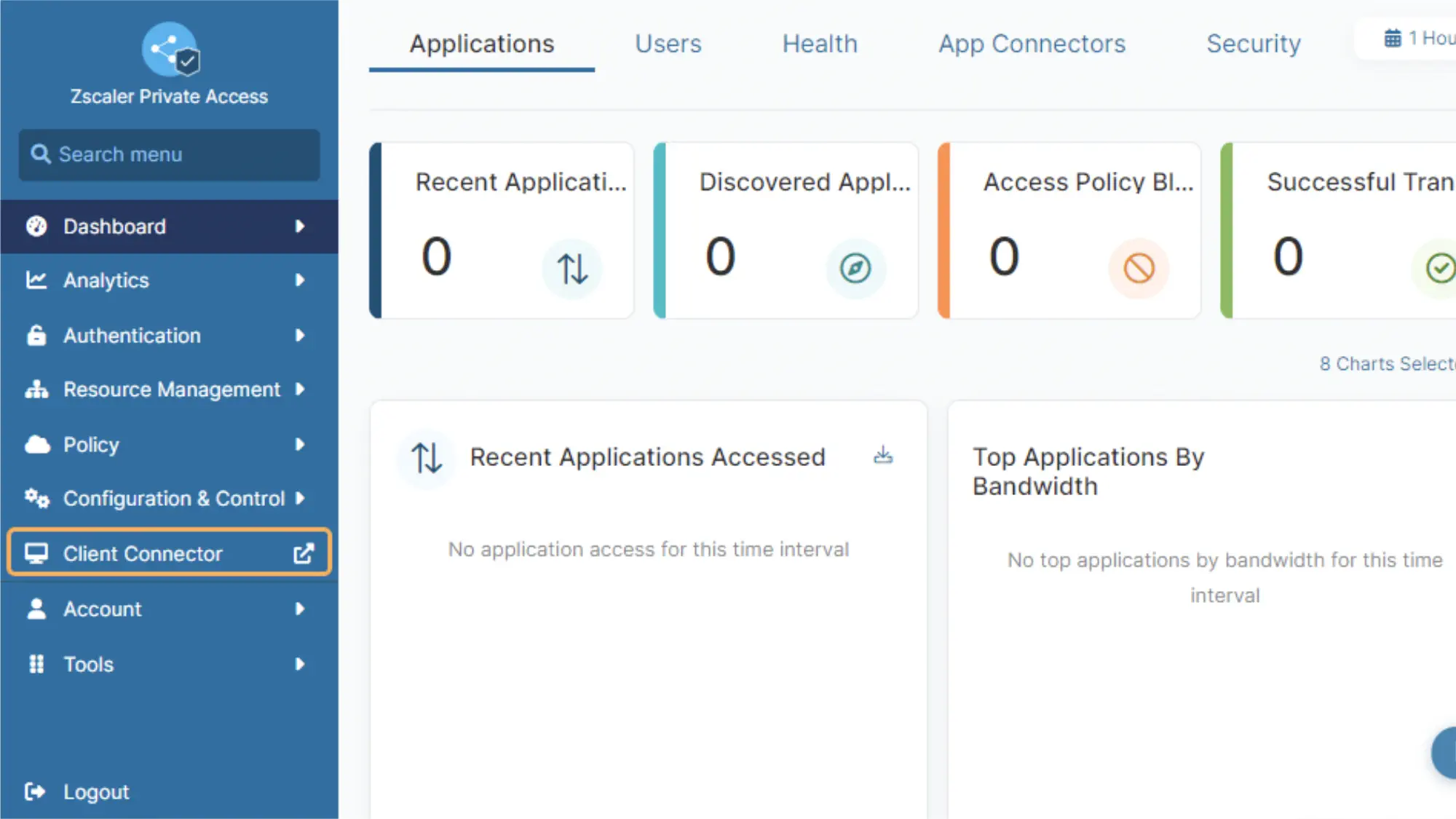
Zscaler Private Access (ZPA) is a ZTNA that uses AI-powered app segmentation to generate recommended segments and policies. ZPA is designed for hybrid and multicloud environments, making it a flexible fit for modern enterprise architectures. Private applications are hidden behind Zscaler’s Zero Trust Exchange, minimizing the attack surface by preventing direct exposure to the internet.
Organizations can also scale ZPA into Zscaler’s broader SASE platform, combining ZTNA, SWG, CASB, and firewall as a service into one unified, cloud-native security stack. Zscaler is best suited for large enterprises with distributed workforces and mature IT teams looking to eventually adopt a full SASE architecture.
What Sets It Apart: AI-powered application segmentation with extensive global points of presence for performance
Best for: Large enterprises requiring scalable, Zero Trust access with granular policy control
Strengths
- AI analytics: The platform leverages AI-driven analytics to continuously monitor user behavior and application access, enabling dynamic risk assessment and adaptive policy enforcement for enhanced security and reduced attack surface.
- Scalable encrypted traffic inspection when paired with Zscaler Internet Access: Its proxy-based architecture enables full TLS/SSL inspection at scale, allowing security teams to detect threats hidden in encrypted traffic, apply data loss prevention policies, and maintain visibility without degrading performance.
- Compatible with common identity providers: ZPA is user-friendly, integrating with common identity providers such as Okta, Azure AD, and Onelogin.
- Clientless application: It supports clientless remote access, which is beneficial for third parties or contractors.
- Global PoPs for high performance: It has over 160 global PoPs to provide fast, secure access.
- Threat protection: Built-in cyberthreat protection and DLP tools help secure sensitive data, even when users connect from unmanaged devices.
Weaknesses
- High cost: The biggest drawback to Zscaler is the cost. While the cost is custom, it’s reportedly higher than competitors.
- Complex setup: Setup can be complex and misconfiguration can exacerbate these issues.
- May need additional tool add-ons: Full capabilities often require combining ZPA with Zscaler Internet Access (ZIA) and other Zscaler tools.
- User experience challenges: Users have also reported issues with application syncing, occasional latency in regions with fewer points of presence, and intermittent problems with the Zscaler Client Connector.
- Complex troubleshooting: Troubleshooting issues may be difficult if multiple environments need to be checked.
Palo Alto Prisma Access
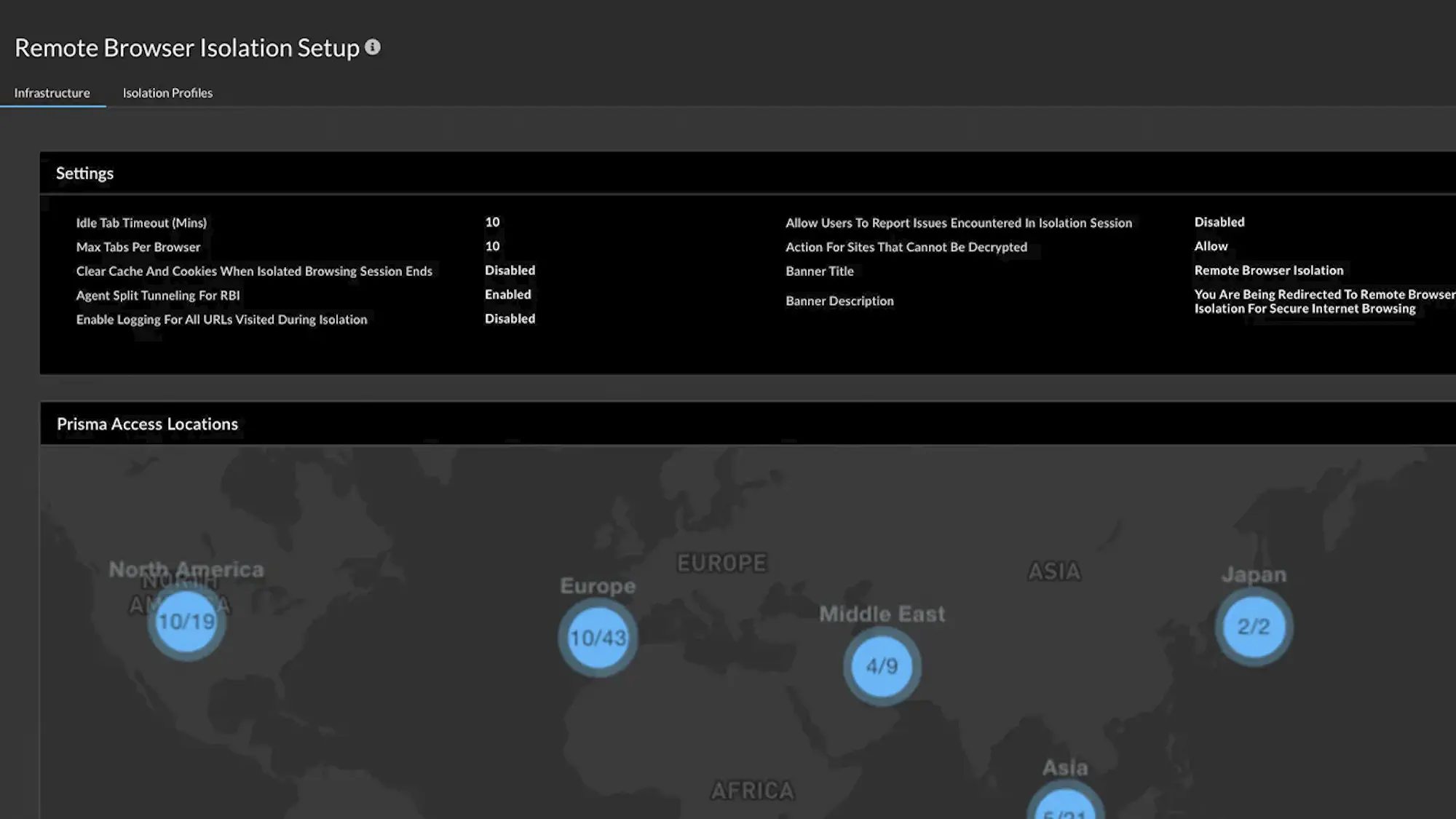
Prisma Access is Palo Alto Networks’ cloud-delivered Secure Service Edge (SSE) solution that combines ZTNA, cloud firewall, CASB, SWG, and advanced threat protection into a unified security platform.
It integrates tightly with Palo Alto’s broader ecosystem, including Cortex XDR and Panorama, offering seamless policy enforcement across cloud and on-prem infrastructure. However, for teams not already using Palo Alto products, you may encounter a steep learning curve during onboarding.
Prisma Access is a good solution for enterprises that are prioritizing centralized security, deep visibility, and full SASE adoption, and that are also familiar with Palo Alto solutions.
What Sets It Apart: Deep integration with Palo Alto Networks’ ecosystem and advanced threat protection capabilities
Best for: Large, security-mature enterprises seeking full-stack SSE or SASE with tight policy and threat control
Strengths
- Strong threat protection capabilities: Unlike some VPN alternatives that focus primarily on access control, Prisma Access delivers inline traffic inspection and real-time threat prevention, leveraging the same security engine as Palo Alto’s physical firewalls. This includes features like Advanced Threat Prevention, Advanced WildFire®, Advanced URL Filtering, DNS Security, and DLP, ensuring deep visibility and protection for both users and apps.
- AI-powered behavior analysis: Its Precision AI engine uses behavioral analysis and machine learning to automatically detect and block threats with higher accuracy and faster response times.
- Security for managed and unmanaged devices: The enterprise browser, Prisma Access Browser, secures managed and unmanaged devices.
- Agent and browser-based access: Prisma Access also supports both agent-based and browser-based access models, offering flexibility depending on user types and risk profiles.
- Centralized policy controls with custom reporting: This lets admins easily manage policies and optimize rule configurations.
Weaknesses
- Complex and costly for non-enterprise: Prisma Access may be a good solution if you’re a large, multi-site or remote company that requires more extensive security features and already uses Palo Alto products. However, it’s typically overkill for small-to-medium-sizes businesses, both in terms of cost and complexity.
- High user minimums: Licenses often start at 200 users unless you’re working with an MSP and come with a high price tag.
- Difficult configuration: Configuration can also be challenging, and professional services are often needed to streamline deployment, which incur additional costs.
Cato SASE Cloud
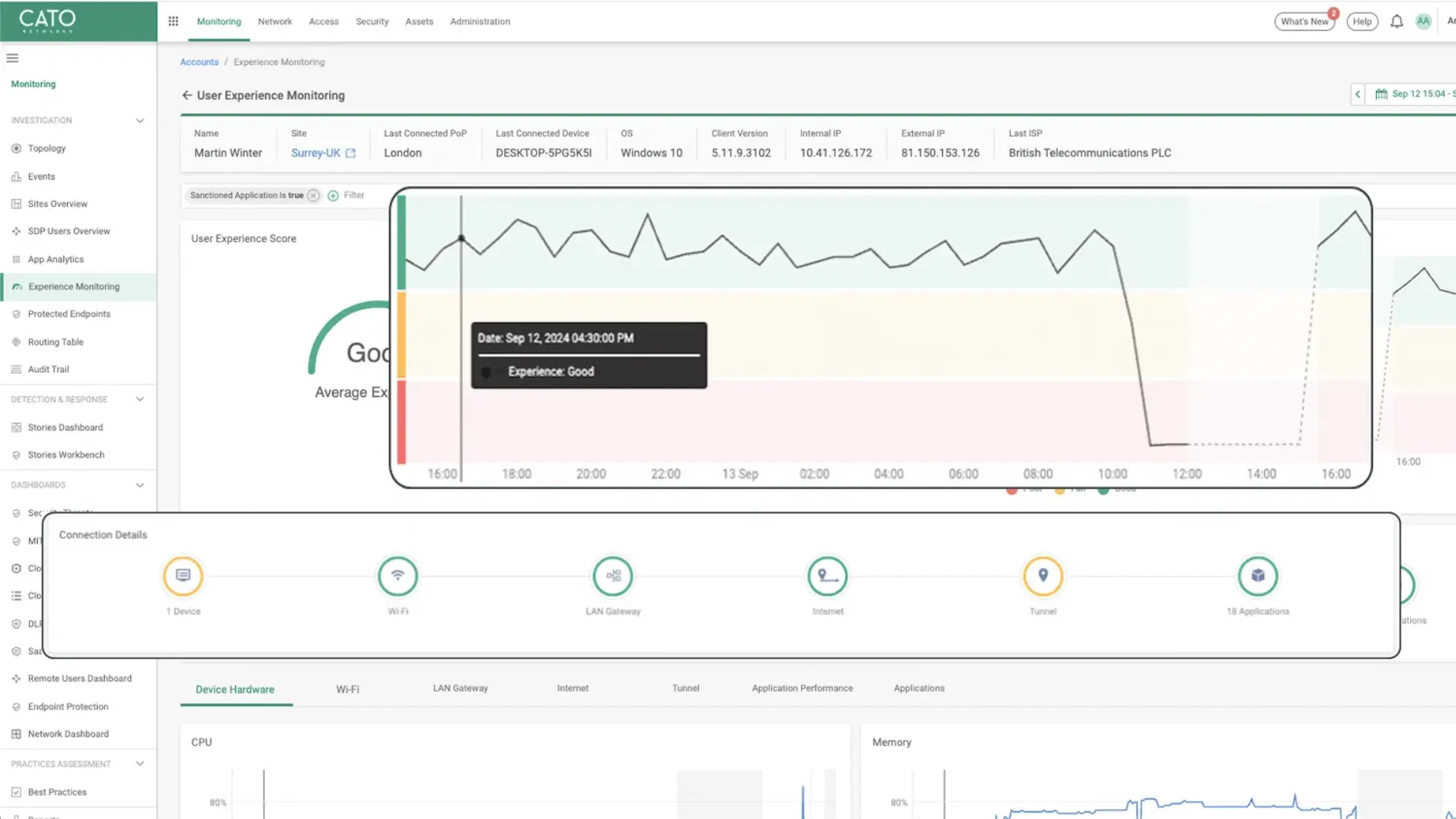
Cato SASE Cloud is one of the only SASE platforms built natively from the ground up, rather than being retrofitted onto existing firewall, SD-WAN, or VPN products. This single-vendor architecture means that all components are fully integrated and managed through one unified interface with an intuitive UI.
Cato SASE Cloud is a strong solution for midsize to large businesses that want a tightly integrated SASE solution with built-in threat detection but don’t need deep third-party integrations.
What Sets It Apart: Purpose-built SASE platform with native integration of all components rather than retrofitted solutions
Best for: Businesses needing a full cloud-native SASE solution with WAN optimization
Strengths
- Managed options: Users have the option to either manage their network themselves or opt into expert managed services from the vendor or one of their partners.
- User-friendly: It is relatively easy to deploy and monitor, though users may have a learning curve when navigating the Cato Management application (CMA).
- Cost-effective: It is more affordable than competing SASE solutions.
- Strong threat intelligence: Cato SASE Cloud has strong Managed Detection and Response (MDR) services. MDR services proactively identify and help neutralize cyber threats around the clock by combining advanced technologies, like AI, with human expertise to detect, investigate, and guide rapid responses.
- AI-powered threat detection: Cato uses artificial intelligence and machine learning to sift through vast amounts of network data, pinpointing potential threats and presenting them clearly within its management platform for security teams to analyze and address efficiently.
- Endpoint protection: Cato integrates endpoint security directly into its SASE framework, offering device-level threat detection and defense that simplifies endpoint management and strengthens an organization’s overall security.
Weaknesses
- Fewer PoPs than competitors: While Cato SASE Cloud has a global private background, it only has around 85 PoPs, which is fewer than some competitors.
- Compatibility issues: Because Cato was built as a standalone product, it has poor compatibility with some existing services and integrations an organization may already have. For example, Android devices have had trouble connecting to resources. It also has limitations for secure private applications and only partial support for operational technology authentication.
How to Choose the Right VPN Alternative for Your Business
Moving beyond the limitations of traditional VPNs is almost guaranteed to be an upgrade to your security stack. But with several compelling options available, figuring out which one best fits your specific business needs can feel a bit daunting. Here’s what to consider in your software search.
Assess your organization’s size and tech maturity
- Small businesses should consider budget-friendly and easy-to-deploy solutions like NordLayer or Twingate.
- Mid-sized organizations should consider Harmony SASE or Cisco or Cloudflare solutions if they are already using their architecture.
- Enterprises should weigh Netskope, Zscaler, or Palo Alto Solutions, all of which are leaders in the SASE space according to Gartner’s Magic Quadrant.
Evaluate your infrastructure
- Is your organization cloud-native, hybrid, or multi-cloud? Twingate is a simplistic option for cloud-first environments, while options like Palo Alto support legacy infrastructure.
- Do you need to support BYOD, third-party contractors, or unmanaged devices? Prioritize tools with browser-based or agentless access options.
- Will you need to replace VPNs completely or run them alongside legacy systems for a while? Look for solutions that support phased migration and coexist with VPNs.
Prioritize key requirements
- Do you need advanced security inspection, data loss prevention (DLP), or Zero Trust enforcement? Platforms like Netskope, Prisma Access, and Zscaler excel in deep traffic inspection and policy enforcement.
- Is ease of deployment and management more important than deep customization? Tools like Twingate, NordLayer, and Harmony SASE provide user-friendly experiences.
- Do you want to reduce vendor sprawl and consolidate networking and security? Choose unified platforms like Cato Networks or Prisma Access that include SD-WAN, firewall, and ZTNA.
Consider growth plans
- Is your team distributed globally or expanding into new markets? Prioritize providers with broad PoP coverage and a global private backbone.
- Are you planning to adopt SASE in the future? Select vendors that allow you to scale into a broader security architecture.
What option to choose?
The Benefits of Implementing a VPN Alternative
Leaving your old VPN behind isn’t just about fixing old problems - it’s about gaining new heights of efficiency and security for your organization. By adopting modern remote access solutions, businesses can experience a range of significant advantages that better support modern work environments.
Enhanced security: VPN alternatives often operate on a “never trust, always verify” principle, granting users access to specific applications only rather than the entire network, which significantly reduces the attack surface if anyone’s credentials are compromised.
Improved performance: Modern solutions can optimize traffic routing, often by providing direct and secure access to cloud applications, which means users experience faster connections and less latency as compared to backhauling traffic through a central VPN server.
Better visibility: These alternatives typically offer more granular logs and real-time insight into user activity and data access, giving IT teams a clearer picture of who is accessing what and when, which is crucial for threat detection and compliance.
Simplified management: Cloud-native VPN alternatives often centralize policy management and user provisioning, making it easier for IT teams to administer access, scale users up or down, and implement consistent security controls across the organization.
Future-proofing your business: Adopting modern access solutions prepares your organization for evolving work models, like hybrid and remote-first approaches, and integrates with cloud services, ensuring your infrastructure can adapt to future technological shifts and business needs.
Explore VPN Alternatives Today
In a world dominated by distributed workforces and cloud-first application strategies, VPNs are increasingly showing their age. They simply weren’t designed for the perimeter-less way many organizations operate.
Modern alternatives like ZTNA and SASE solutions offer a far more robust approach, delivering stronger security, noticeably better performance, and greater flexibility for businesses of all sizes.
When evaluating your options, make sure to consider your specific business requirements alongside your current technical capabilities, budget, and future growth plans. The right solution for your org will effectively balance meeting or exceeding your security needs with ease of use and affordability.
Whether you’re a small business seeking an accessible entry point to better security or a large enterprise needing a comprehensive, scalable framework, you can find a VPN alternative available today that can revamp your approach to secure remote access.

